- Install 7-zip from http://www.7-zip.org/download.html
- Install pspad from http://www.pspad.com/de/
- Download and install JDK 5+ (make sure your JAVA_HOME environment variable points to the JDK, not a JRE). URL: http://java.sun.com/javase/downloads/index.jsp
- For your local environment - download and install MySQL 5.x. ( we will use a central instance later). URL : http://dev.mysql.com/downloads/mysql/5.0.html#downloads
- Set the root password as an empty string by using the following command: mysql --user=root --pass='' mysql -e "update user set password=password('newpw') where user='root'; flush privileges;"
- Download and install eclipse EE from http://www.eclipse.org
- Download Maven 2.0.5+ from http://maven.apache.org/download.html . Unzip the maven to your home directory and use the following configuration to install the maven.
- Download and unzip tomcat and configure the following environment variables.
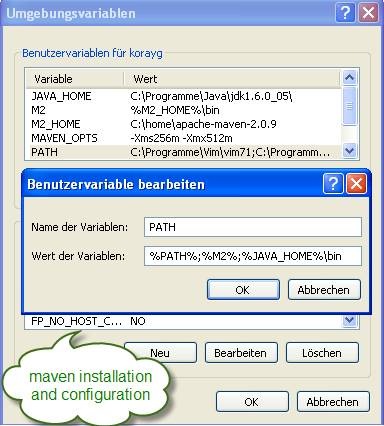
![clip_image002[4]](http://lh5.ggpht.com/korayguclu/SH3KpO1vvlI/AAAAAAAABpw/ieTIPiFWNu8/clip_image002%5B4%5D%5B2%5D.jpg)


No comments:
Post a Comment